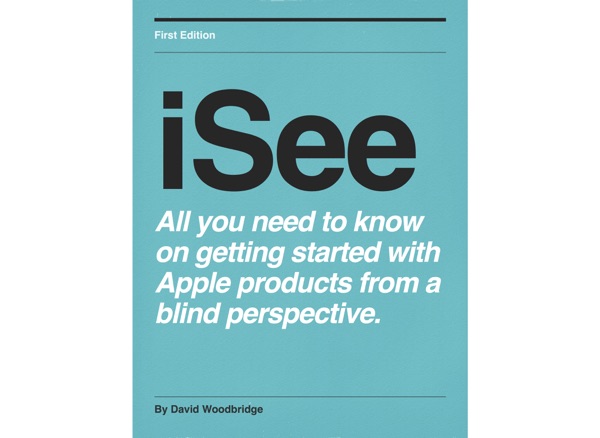
iSee - Using various technologies from a blind persons perspective.
David Woodbridge
Publishing Details
Contact & Outreach
About This Podcast
Explore Statistics
Recent Episodes
Braille Note Evolve demo 5 - using Braille on the Braille Note Evolve
In this demo, I explain how to choose your preferred reading input and output table, and then have a bit of a play around with the Braille Editor, and Word.
Braille Note Evolve demo 4 - a quick review of Quick Settings, and then handy KeySoft, NVDA, and Window commands
Along with mentioning the KeySoft Options menu, KeySoft Control Centre, and the NvDA categories screen (also accessed via the Options menu), before getting on to the handy keyboard commands, I give…
Braille Note Evolve demo 3 - how to get to the NVDA settings from the KS Main Menu and how to get back to the Main Menu if you pop in to Windows by accident
How to access the NVDA Settings from the KeySoft Main Menu Options, and how to get back to the Main Menu if you pop in to Windows.
Braille Note Evolve demo 2 - KeySoft Main Menu Options, KeySoft Control Centre, and exiting KeySoft Main Menu
In this demo, how to access the Main Menu Options, KeySoft Control Centre, and how to exit the Main Menu By the way two things I slightly forgot to say key 7 and 8 to the left and right of the…
Braille Note Evolve demo 1 - description, starting up, entering pin number to login, main menu, and shutting down.
As the title says, from starting up to shutting down via the Main Menu with some tips along the way. A lot more demos to come.
A physical description of the Braille Note Evolve
The Braille Note Evolve has been described on a number of podcasts and on the web, but I thought I'd make a place holder here for you to refer back to moving forward.And yes, it is most certainly a…
Tip demo of running two Humanware/APH Braille displays at the same time for training, demoing etc
In this demo, I show you how to connect and run two displays at the same time, in this case, the Mantis Q40, but same works for the BI20X, and BI40X with the iPhone (or iPad).
Using Braille Access via Voiceover on the Mac, continuation of last podcast re Braille Access on iOS with VoiceOver
In this demo, I mainly point out how to access the Braille Access settings within VoiceOver Utility, point out one difference between iOS/Mac Braille Access, correct my statement aoubt UEB not being…
The incredible Braille Access function in iOS and Mac 26 that turns your Braille display with a keyboard in to a Braille Note Taker
This really does turn your iPhone, iPad or Mac in to a Braille note taker. The best thing is, that you can use VoiceOver with speech and run any app you like on your device, whilst still using the…
How to listen to the 6 Apple Music radio stations on your Victor Reader Stream 3 using TuneIn Radio
Very easy to do and enjoy. Woody
Tip demo on how to adjust the dot firmness on the Brailliant BI40X Braille display
In a nut shell, its Options, User Settings, Dot firmness, and then choose from low, medium or high. Woody
Taster demo of using Brailiant BI40X Braille display with VoiceOver on the Mac
In this demo, I give you a quick glimpse as it were in to the wonders smile of using the BI40X on the Mac with VoiceOver. Once Mac os 2026 hits, expect a lot more Braille (Brailiant etc) demos.
15 tips for getting the most out of your Monarch: batch one (more tocome).
This is the first post of many many smile tips on getting the most out of your/my Monarch. This is the first batch with 15 tips. When you are reading through a document with the PageUp or Page…
Simplifying tactile images with TactileView
Simplifying tactile graphics with TactileView from HumanWare Andrew and Peter showcase how to use TactileView with the menu-driven design and a screen reader. The webinar also shows how to build…
WWW or Talking Tech for May 27 2025
In this Talking Tech show for this week, I give you a run down of a talk I gave at the Round Table in Melbourne this week on things to think about when choosing a smart Braille display, Braille Note…
Tripple W or Talking Tech for May 20 2025
Plaud AI Pin If you have ever felt a FitBit, this is the size of the Plaud AI pin. As I said in the episode, app mainly works ok, device is ok to…
WWW/Talking Tech for May 11 2025 - an early celebration for GAAD - talking all about NVDA.
Helpful links from today’s program on NvDA. Download the current stable version of NVDA at https://www.nvaccess.org/download/ We mentioned it a little bit, but we are currently in the Beta…
Monarch Tactile Display V1.2 software update (webinar from HumanWare
In this webinar, Andrew and Peter from HumanWare discuss and demonstrate the latest enhancements to the Monarch software and a few other points including: the new Email app, Web browsing with…
Demo of connecting via BT the Mantis Q40 to your Mac using VoiceOver
In this demo, I show you how simple it is to connect your Mantis Q40 QWERTY keyboard and Braille display device to your Mac. Enjoy Woody
Demo on how to connect Brailliant BI 20 or 40 X to the Mac via BT using VoiceOver
Demo of how easy it is to connect your Brailliant BI20X or BI40X to your Mac using VoiceOver with Bluetooth.
Frequently Asked Questions
iSee - Using various technologies from a blind persons perspective. has published 50 episodes since May 2023, covering topics in Technology.
iSee - Using various technologies from a blind persons perspective. is currently declining with new episodes every 2 weeks. Average episode length is 15m.
Sign up on Grep.FM to access contact details for iSee - Using various technologies from a blind persons perspective., including email and social media links.